

Take a Tour
"Come on, get happy."-
Library: Customization
Your station stands out from the crowd. Shouldn't your tools reflect that individuality? With MusicMaster's many flexible options, you can mold your system to fit the way you work best.
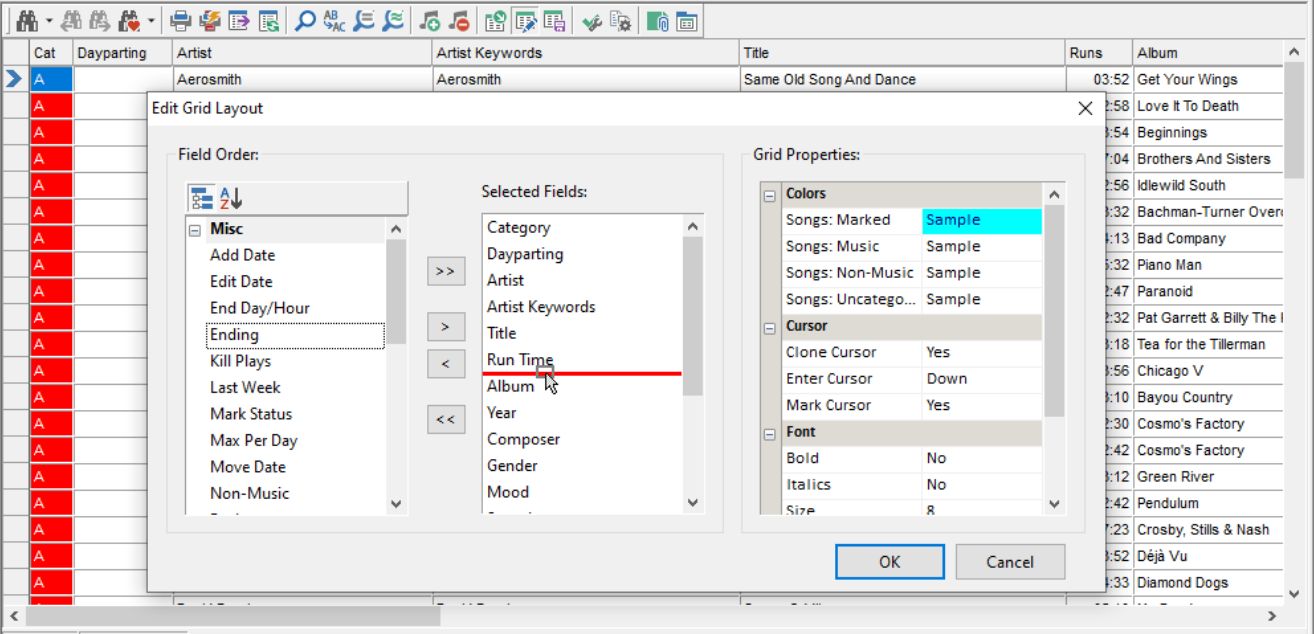 Control Your Views
Build and save custom library grids for different users or tasks.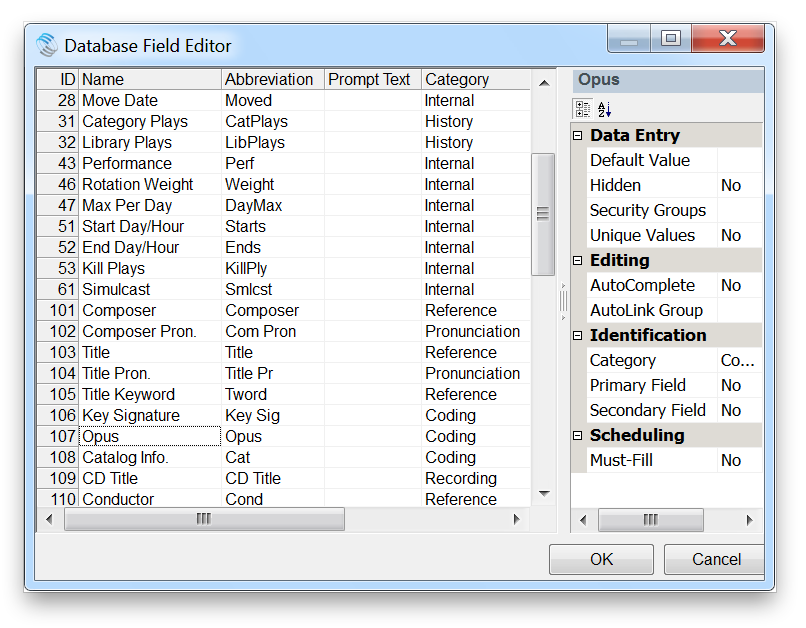 Control Your Database
Add your own custom database fields for any special programming or format needs.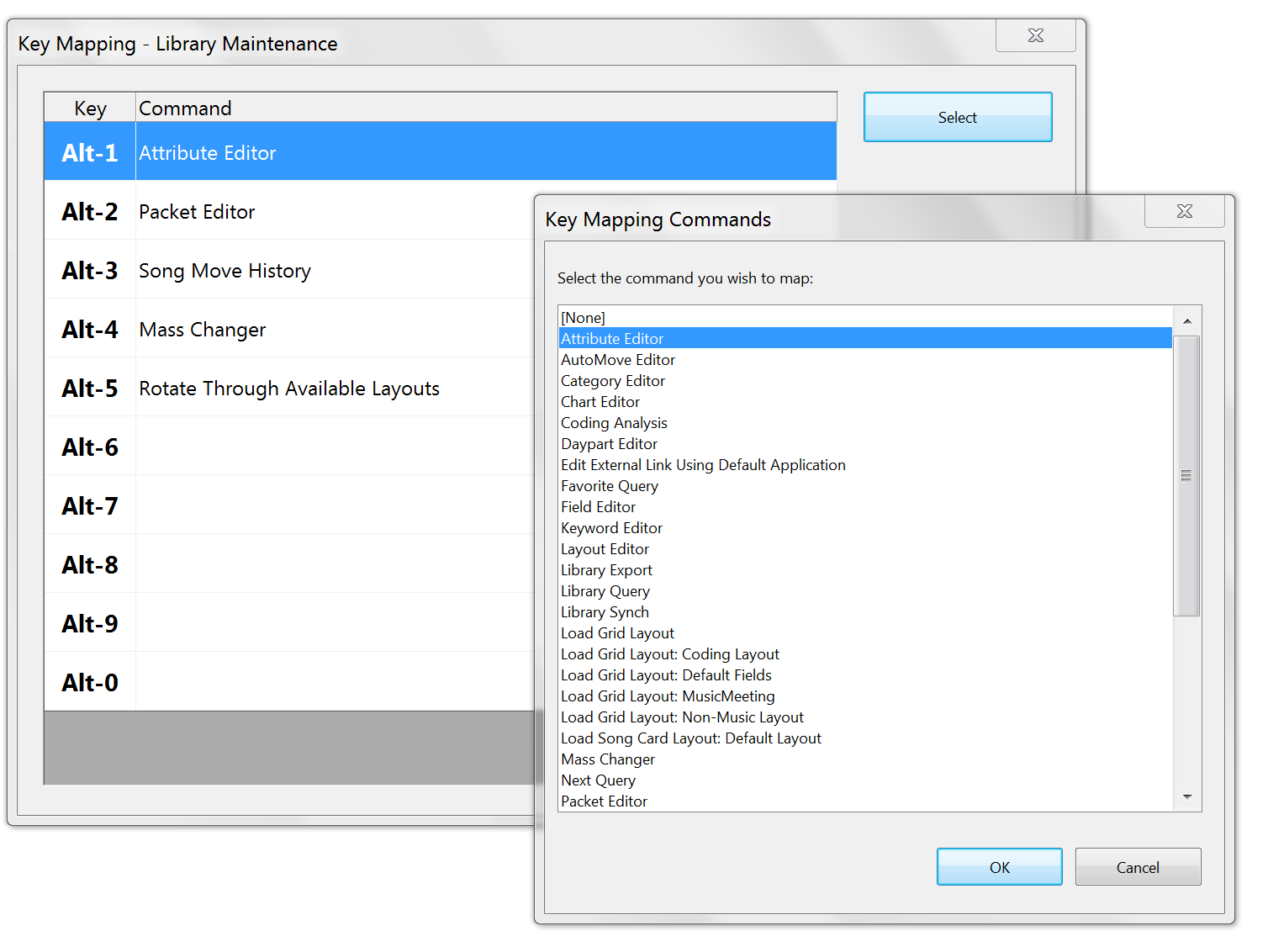 Programmable Hotkeys
Set your own Hotkeys in the Library and Schedule Editors to quickly launch the things you use most often.
Next Page: Category Tools
-
Library: Category Tools
It's easier than ever to monitor and manage your categories with confidence and control.
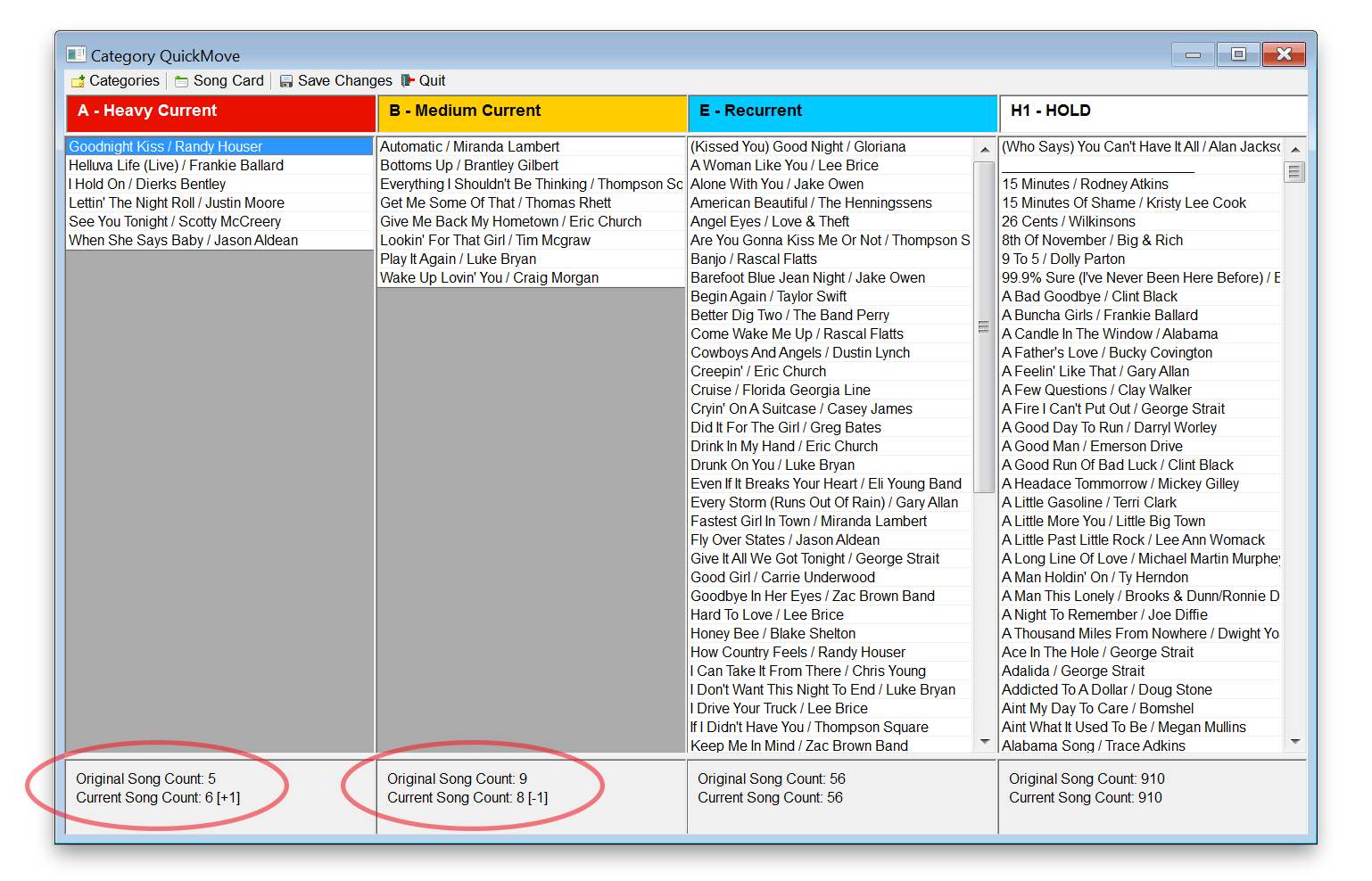 Category Quick Move
Enables you to drag and drop songs from category to category, while still keeping track of category sizes.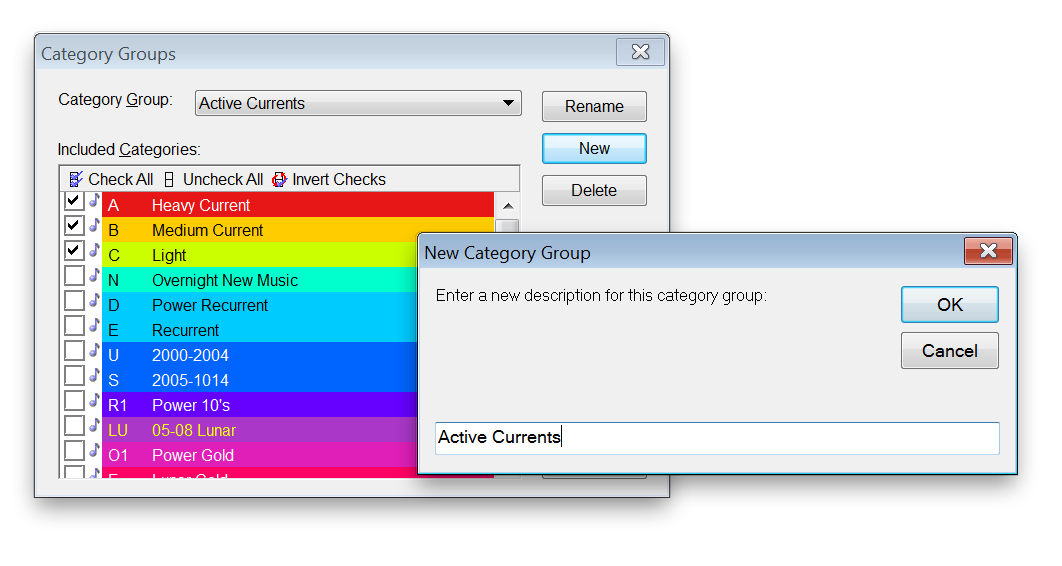 Category Groups
Create groups of categories for quick reference in other parts of the program. Library Analysis
Right click on any field on the screen to get a birds-eye view of the number and proportions of related elements in your library.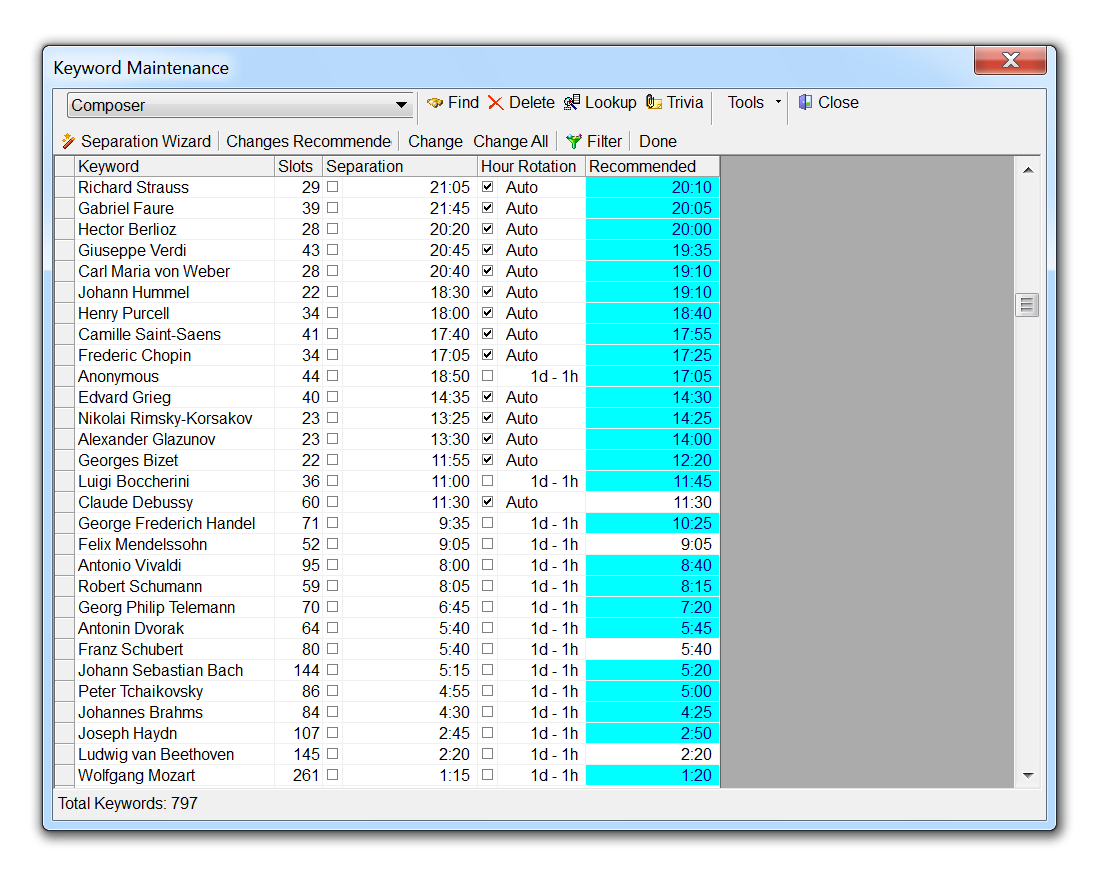 Keyword Separation Wizard
Let MusicMaster calculate the ideal separation for any selected keyword based on your library and clocks. With one click, you can apply any or all of the recommended values.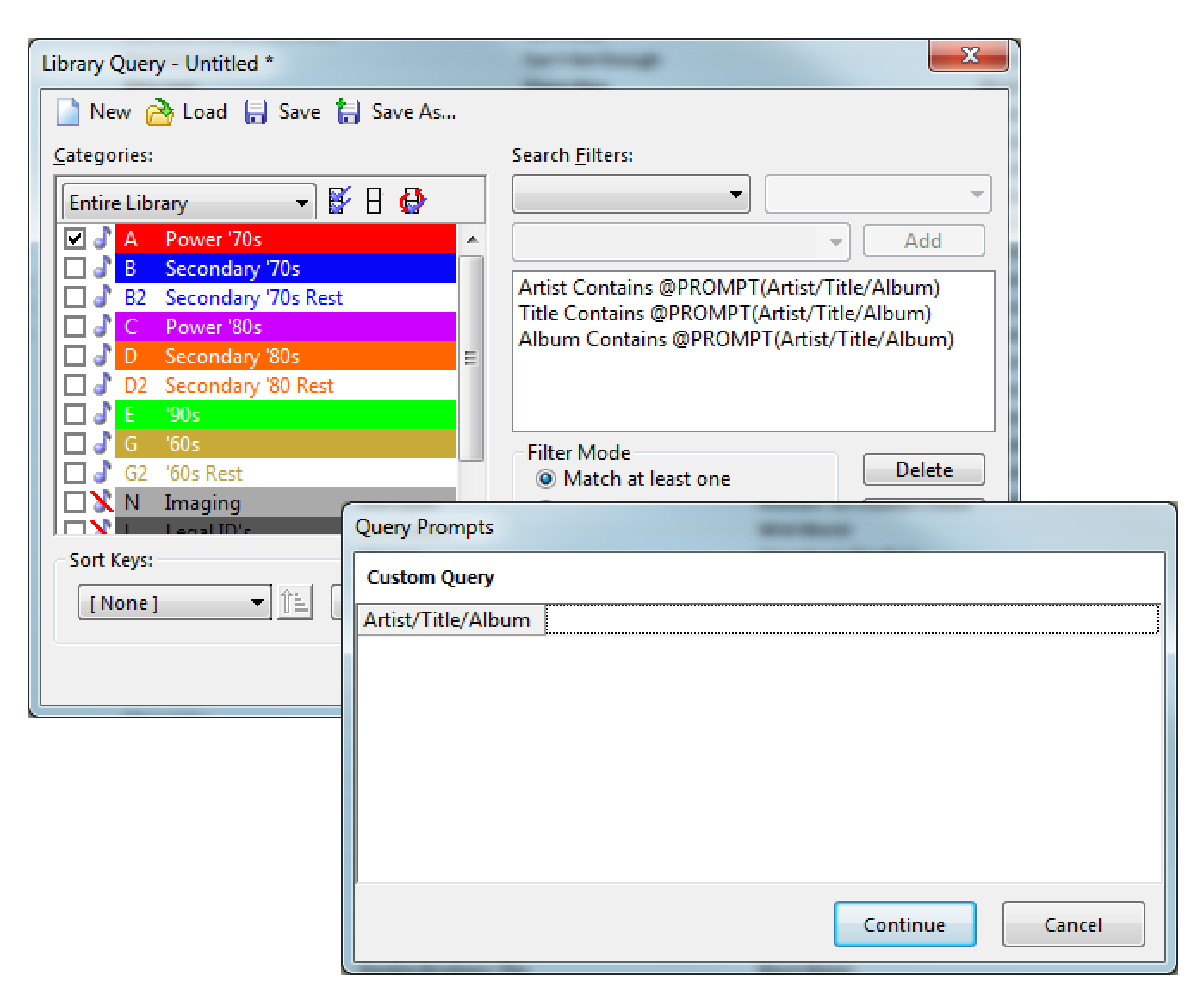 Prompted Queries
Save time by setting up a query that uses a single search field, but looks through multiple library fields at once.
Next Page: Format Clocks
-
Format Clocks: Clock Control
Building clocks is a snap! Even a child could do it. (Not recommended unless it’s your child).
 Quick Control
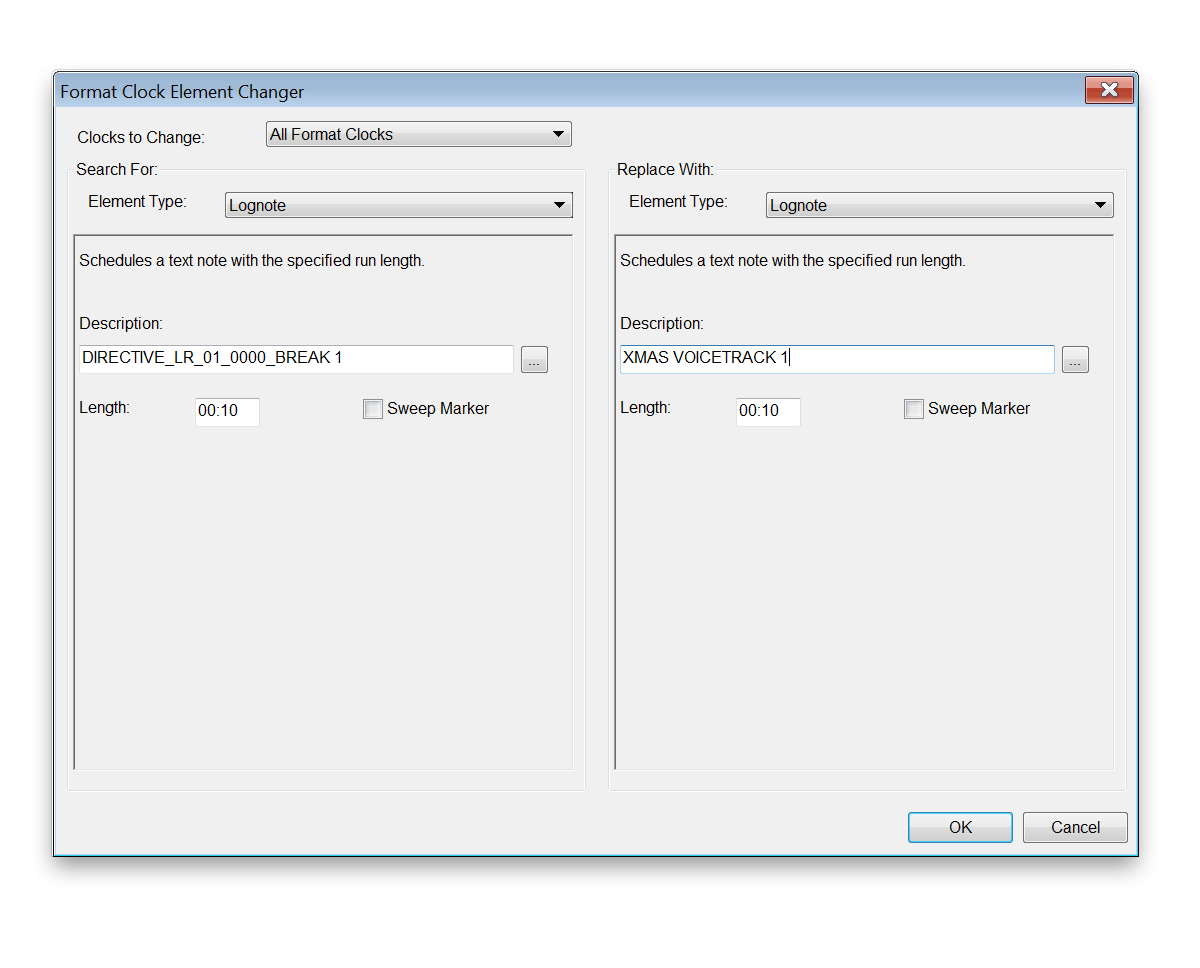
Drag and drop categories and lognotes, or use the Mass Changer to find and replace elements in one or all clocks.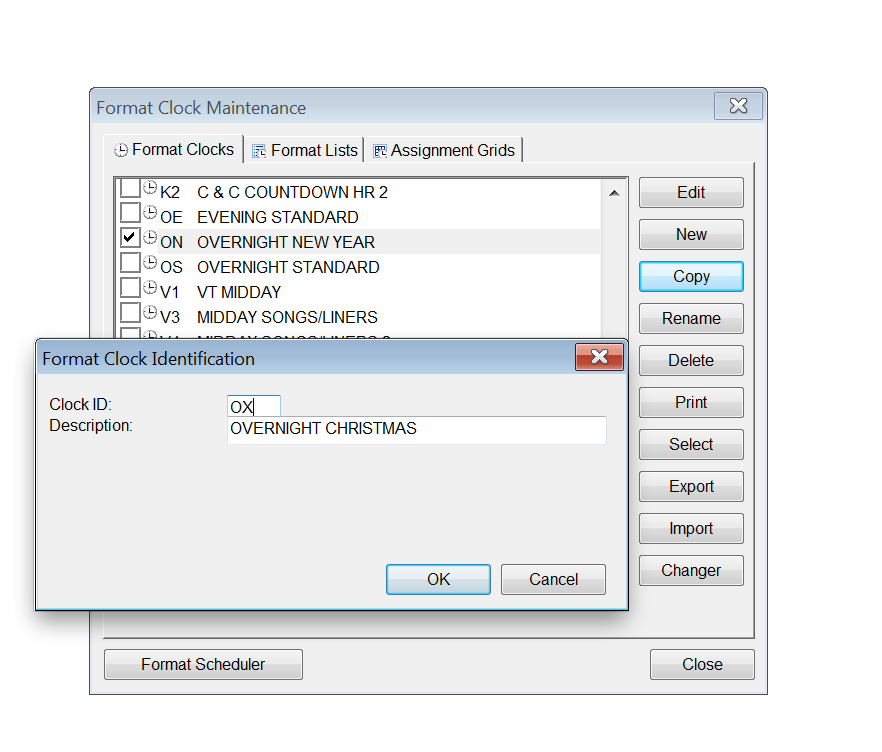 Copy and Share
Start a clock from scratch, or clone an existing one, rename and edit. Or, import and export clocks to share with other databases.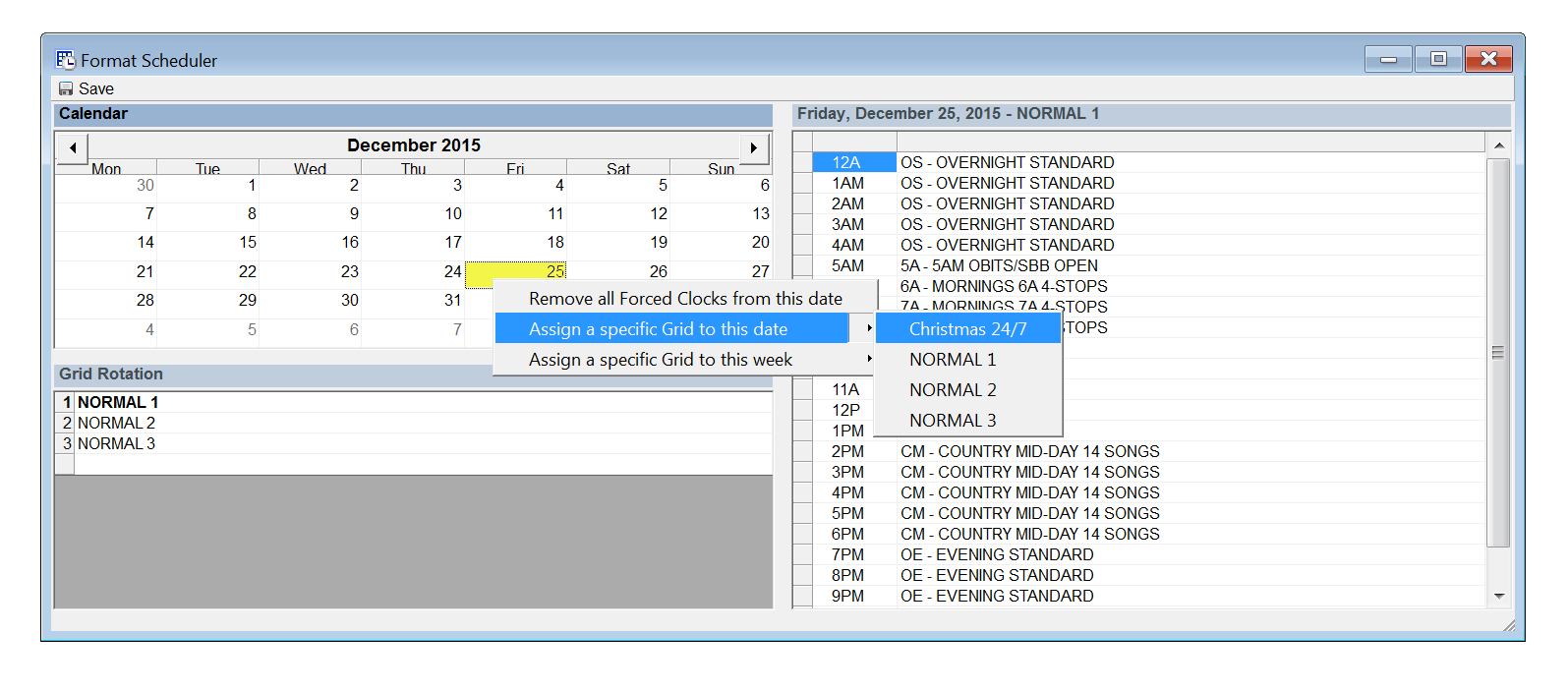 Get Ahead
Schedule your clocks or assignment grids in advance. Save time during holiday planning or with repeated special programming.
Next Page: Clock Tools
-
Format Clocks: Clock Tools
Build less clocks to accomplish the same goals, with greater flexibility, variety and control!
 Predictable Unpredictability
Stick to static clocks, or add variety with clock elements like Migrating Positions. Select more than one category for a slot and then control how each is called with Flex Rules.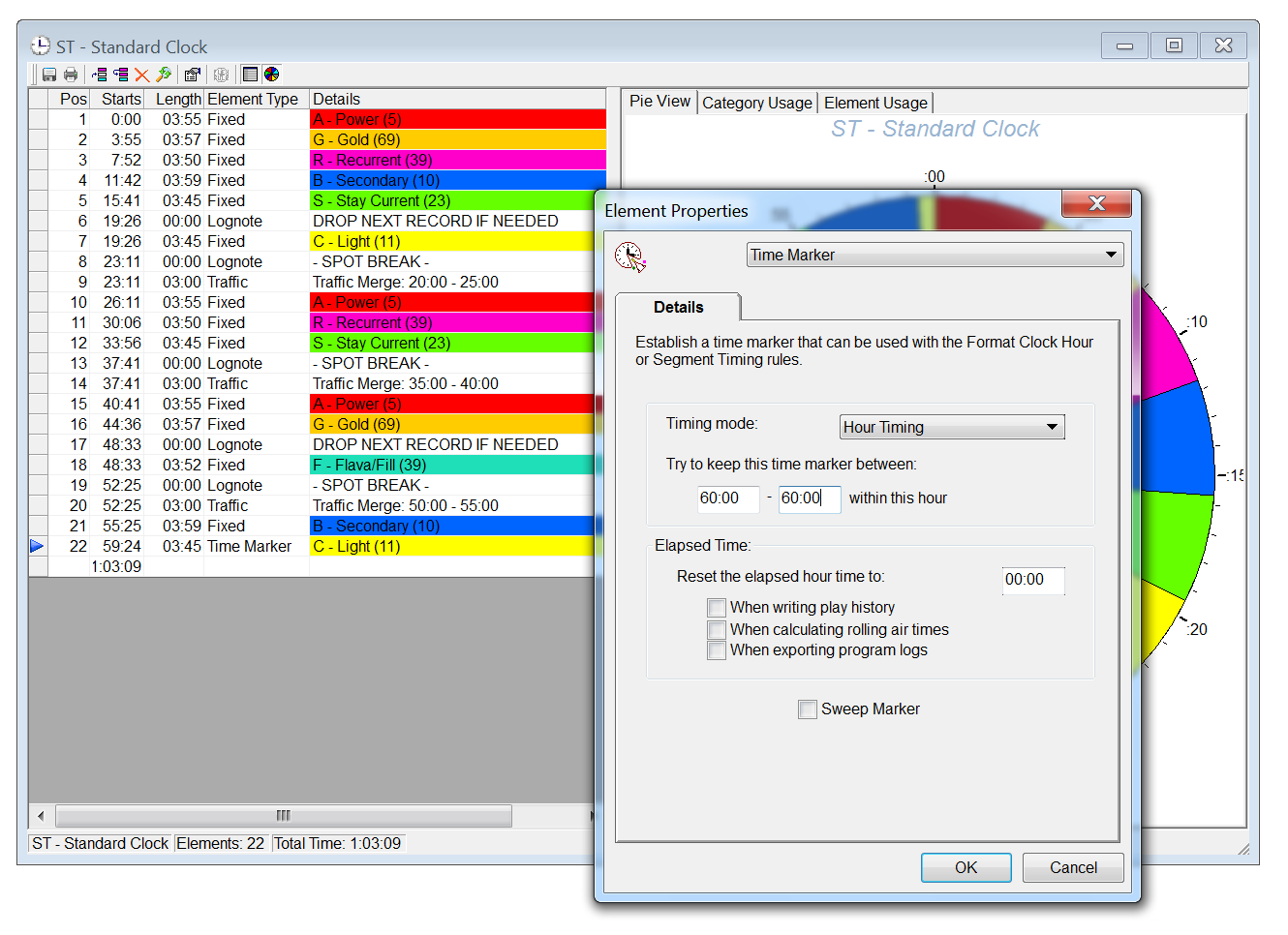 Be On Time
Use Timing Elements to not only dial-in the best possible song, but also take their length into consideration to keep the total hour exactly as long as you need.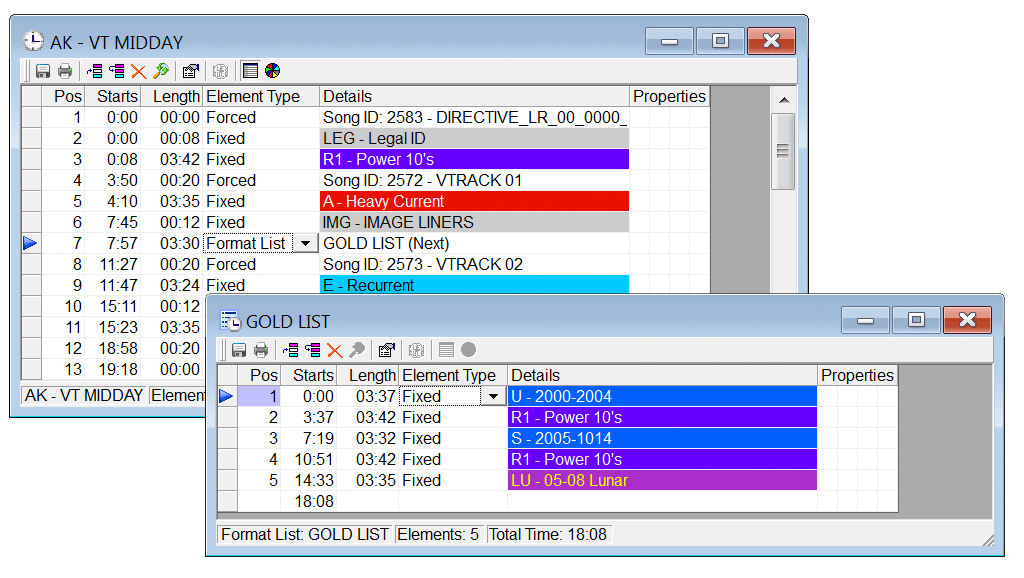 Clocks Within A Clock
Want your clocks to be slightly different every hour? Add Format Lists to a single slot to rotate through multiple categories in the pattern you specify.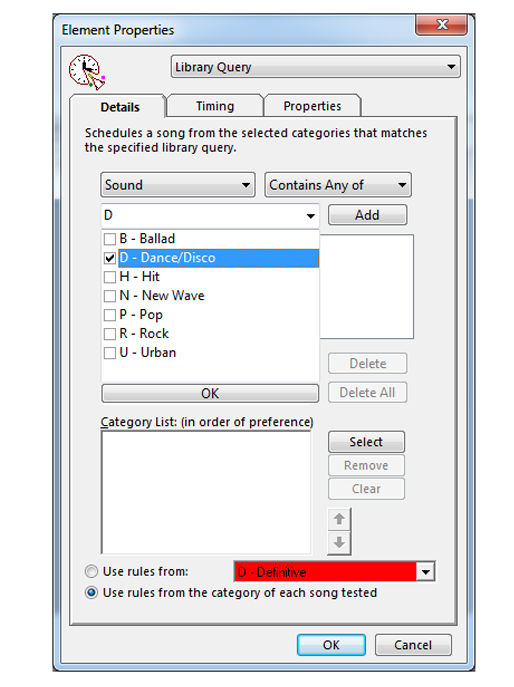 Library Query Element
The Library Query element is a new way to bring together a specific set of songs from your library for consideration. When you create the query, the position will only look at the elements that match your filter choice. That's especially helpful if you do not have many elements that would match. Another bonus: Since it's only looking at elements that match, it takes less time to consider and schedule.
Next Page: Rule Tree
-
Rule Tree: Confident Control
MusicMaster opens up room for creativity, while still giving you the control you need. With the right combination of rules, you can build a fresh and interesting sound from the start with fewer unscheduled positions.
 Rule Groups
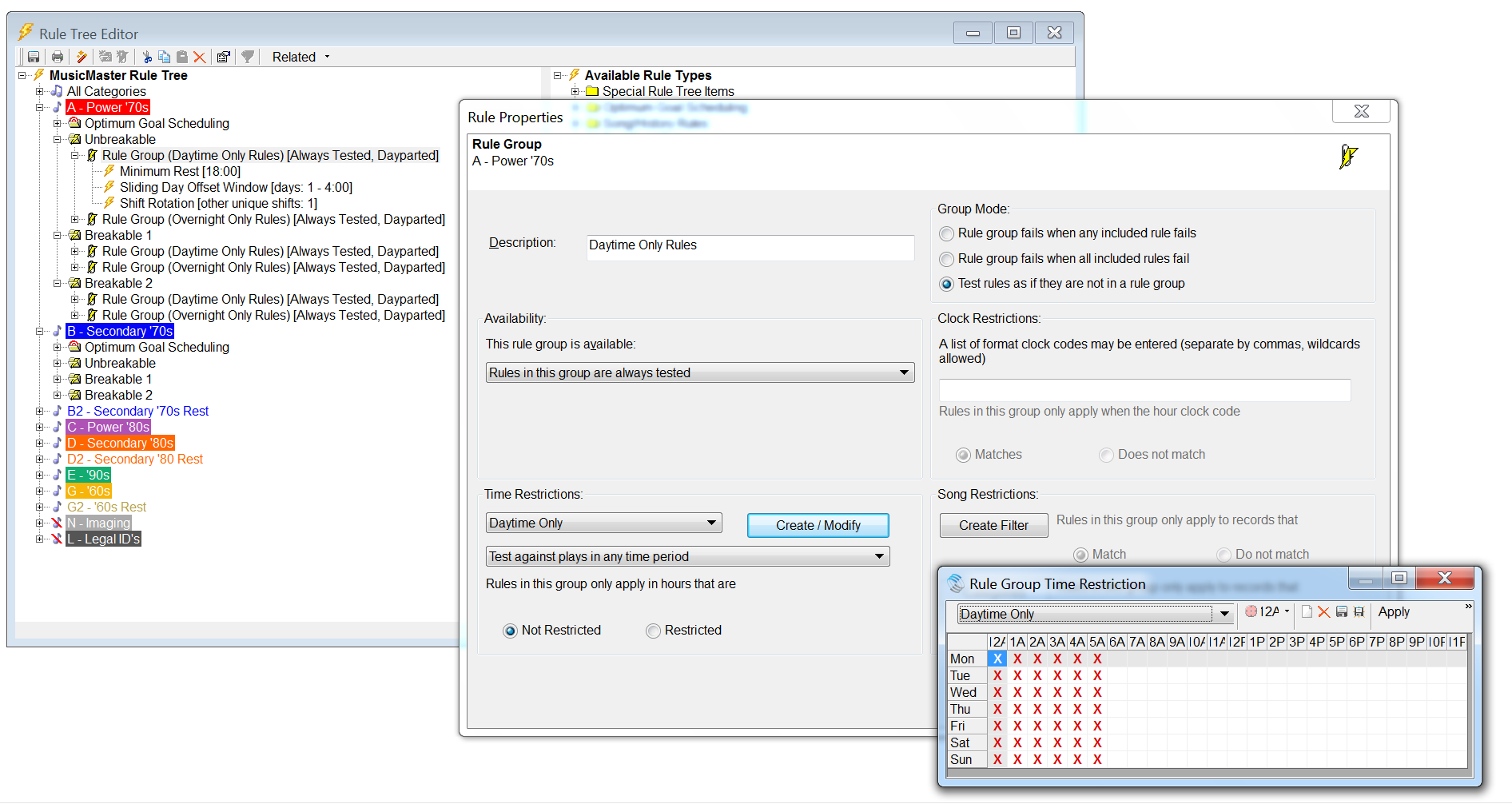
Build a rule tree within a rule tree. Create groups of rules that only apply with certain categories or at certain times of day.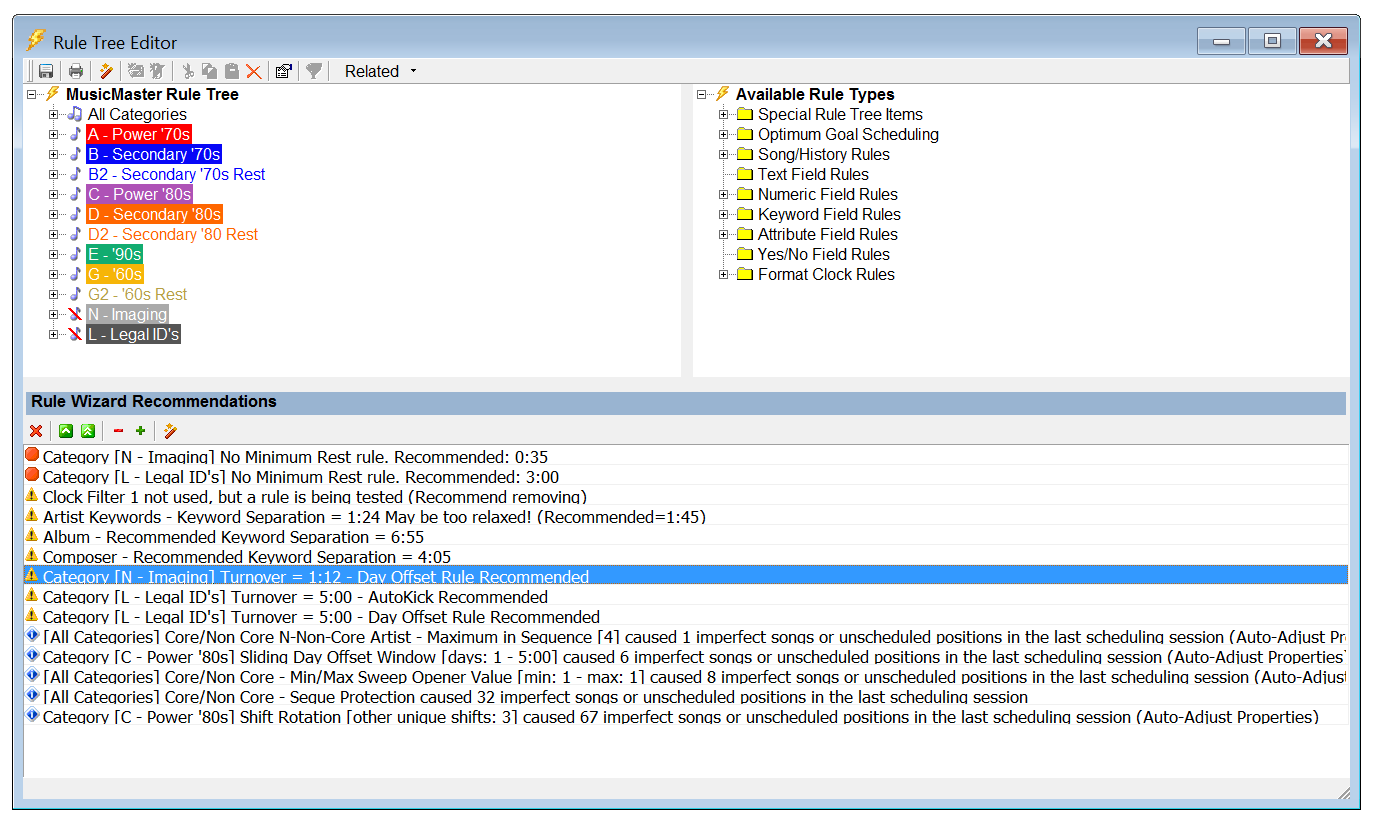 Rule Tree Wizard
Analyze your library to get recommendations for Rest and Artist Separation. Or, review your last scheduling session to find potentially problematic rules.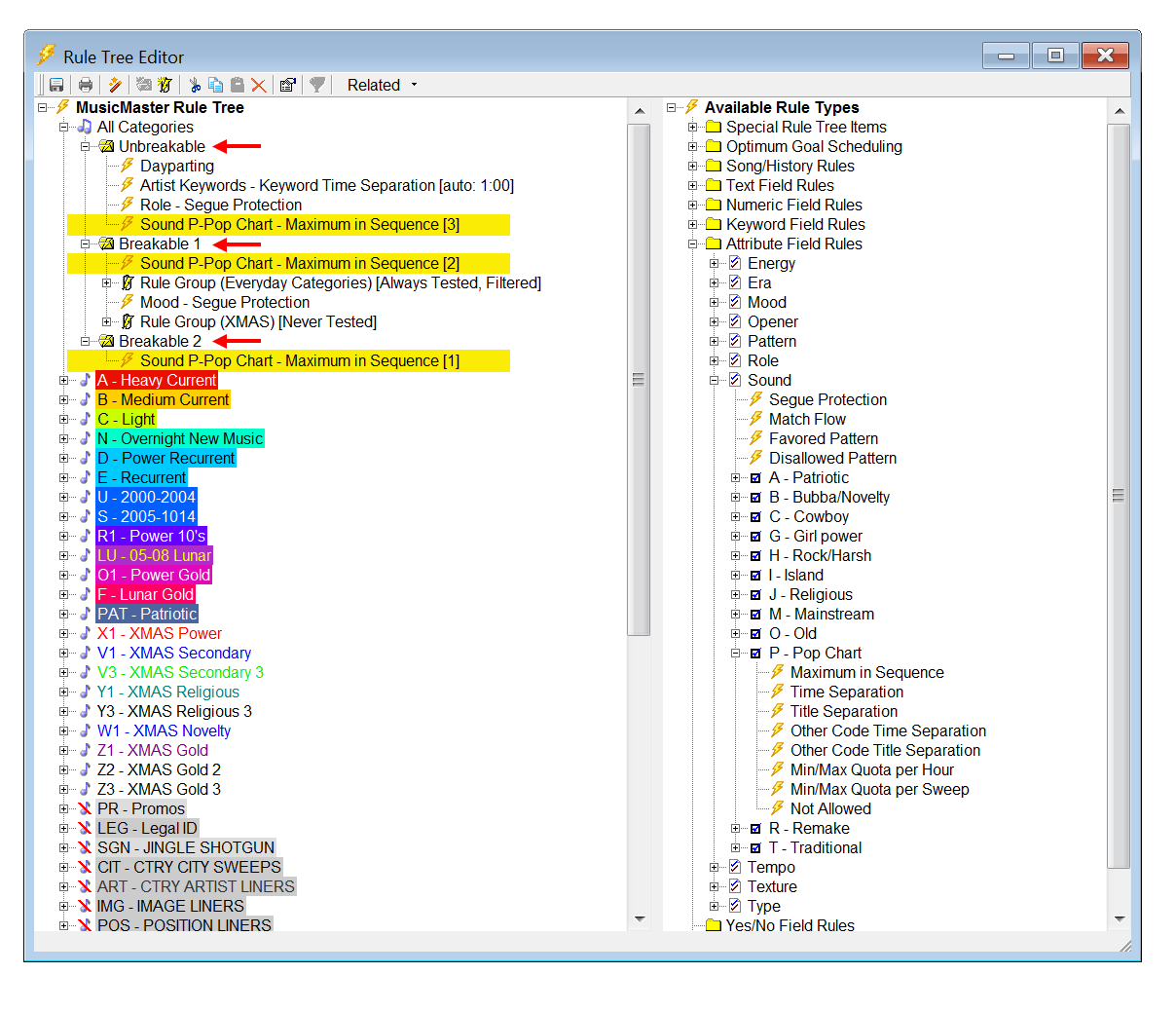 Scaleable Rules
Set the same rule with multiple preferences for good, better and best results.
Next Page: Optimum Goal Scheduling
-
Rule Tree: Optimum Goals
When you're using Optimum Goal SchedulingTM in conjunction with your rules, think of the unbreakable rule as your bare minimum setting and the goal as a way to get even more. Rather than just looking at the most rested songs to find the first one that happens to pass all your rules, Optimum Goal SchedulingTM looks at all the passable songs in your search depth. Based on the goals you've selected, MusicMaster assigns a weighted score to each song to help break the tie and pick the very best song. This not only saves you editing time, but also gives you an edge. Your competitors won't know how you're doing it!

Optimum Song RestYou can have as many goals in place as you'd like. Here are just a few of them:
MusicMaster will score a song based on when it played last. So, something that played recently will have a low score but the most rested songs will have a higher score.
Optimum Radial Spread
Optimum Radial Spread essentially looks at the history graph for each song it encounters and asks, “when was the last time this song played around the time I’m trying to schedule?” It favors songs that have rested longest in the region of the day being tested.
Optimum Keyword Separation
With Keyword Rest goals, MusicMaster does even more behind-the-scenes calculations in determining the optimum amount of separation which can be expected for every keyword, such as your Artist Keywords.
Next Page: Turnover Analysis
-
Turnover Analysis:
You know how you want your station to sound, and MusicMaster gives you many ways to get there. Turnover Analysis helps you narrow things down. By analyzing your predicted rotation, you'll be able to see how your categories and rules measure up to your expectations.
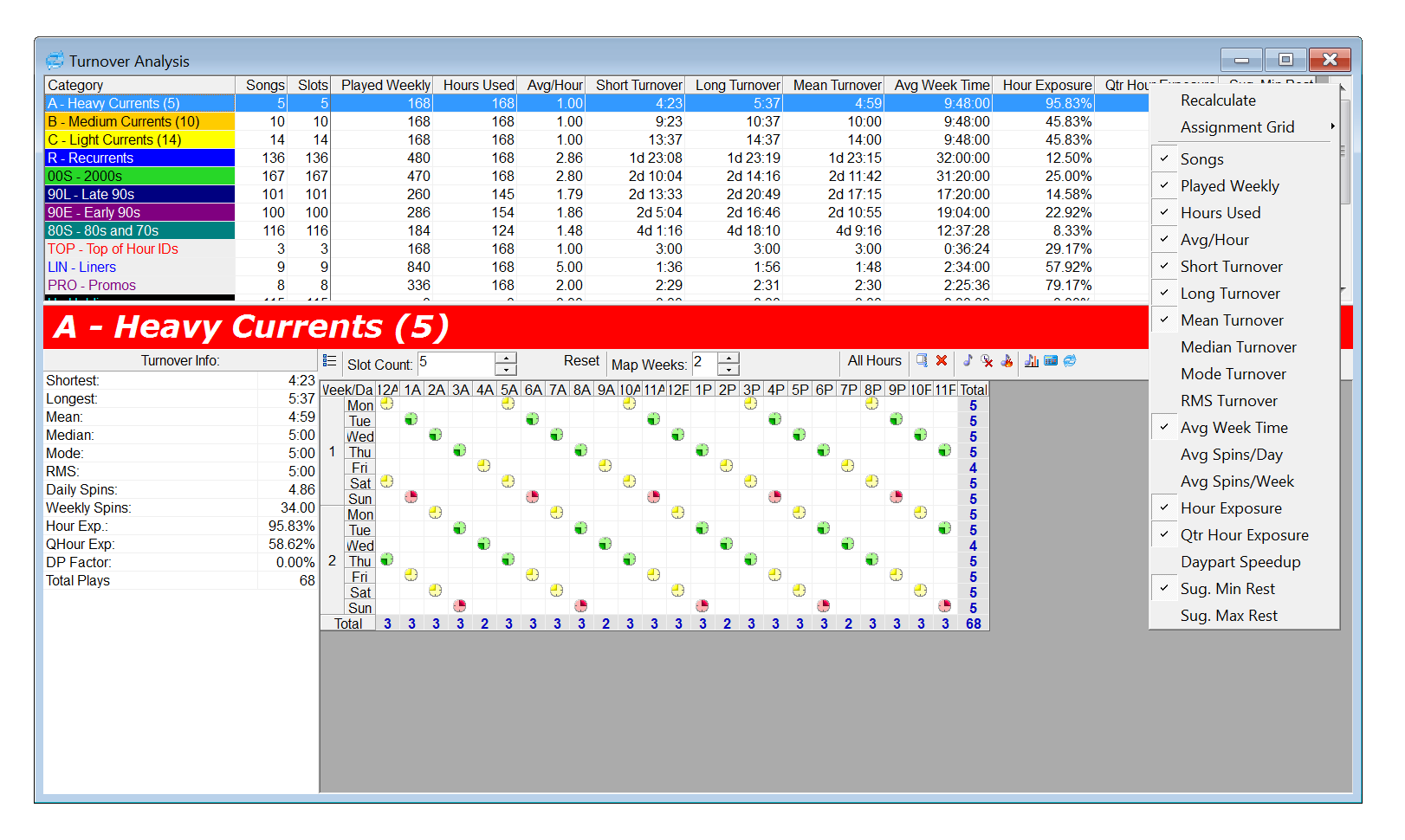 Turnover Analysis
There are so many tools to examine your library available in Turnover Analysis, we can't even list them all! Some of our favorites include: Suggested Minimum and Maximum Rest, Average Spins per Day or Week, Hour Exposure, Sound Code Analysis, and Format Clock Category Usage.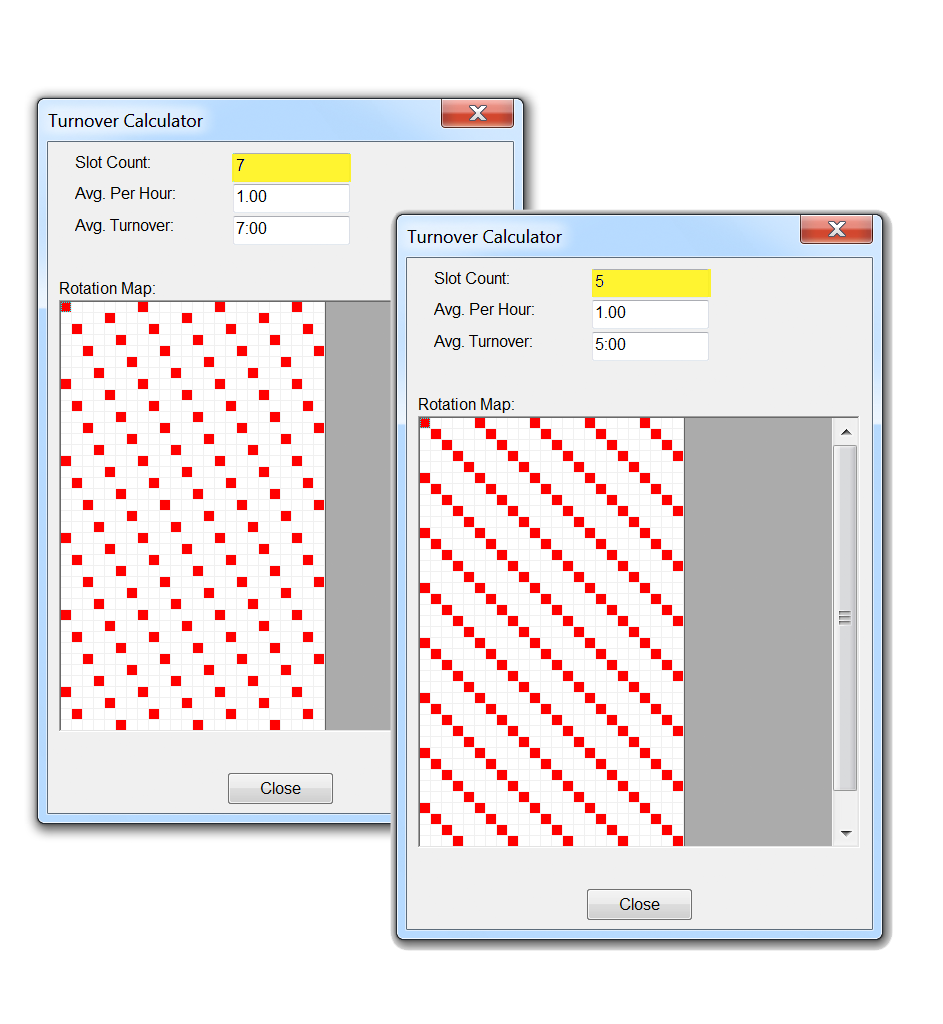 Turnover Calculator
See how the rotation pattern is affected based on the number of songs in your category and how often it's called for in the clocks. Dial in different adjustments until you get the result you want, or use it to diagnose rotation issues you may be experiencing.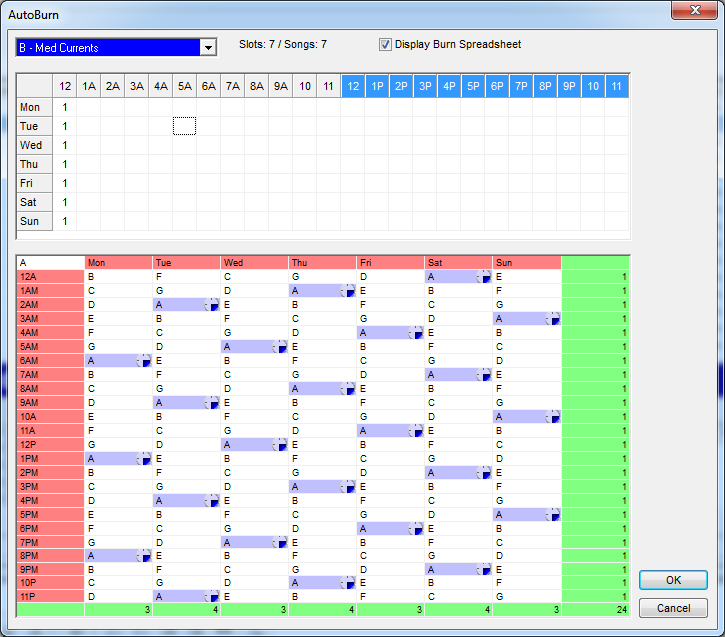 Auto-Burn Spreadsheet
If special programming is affecting your category's normal rotation, you can make adjustments by skipping a number of songs each hour. The Auto-Burn Spreadsheet helps you determine just how to do this, by mapping the rotation patterns that will result from your Auto-Burn settings.
Next Page: Schedule Editor
-
Schedule Editor: Customization
The Schedule Editor is another place for you to add your personal touch, and we try to make it easy for you. Maybe even a little fun... okay, a lot of fun.
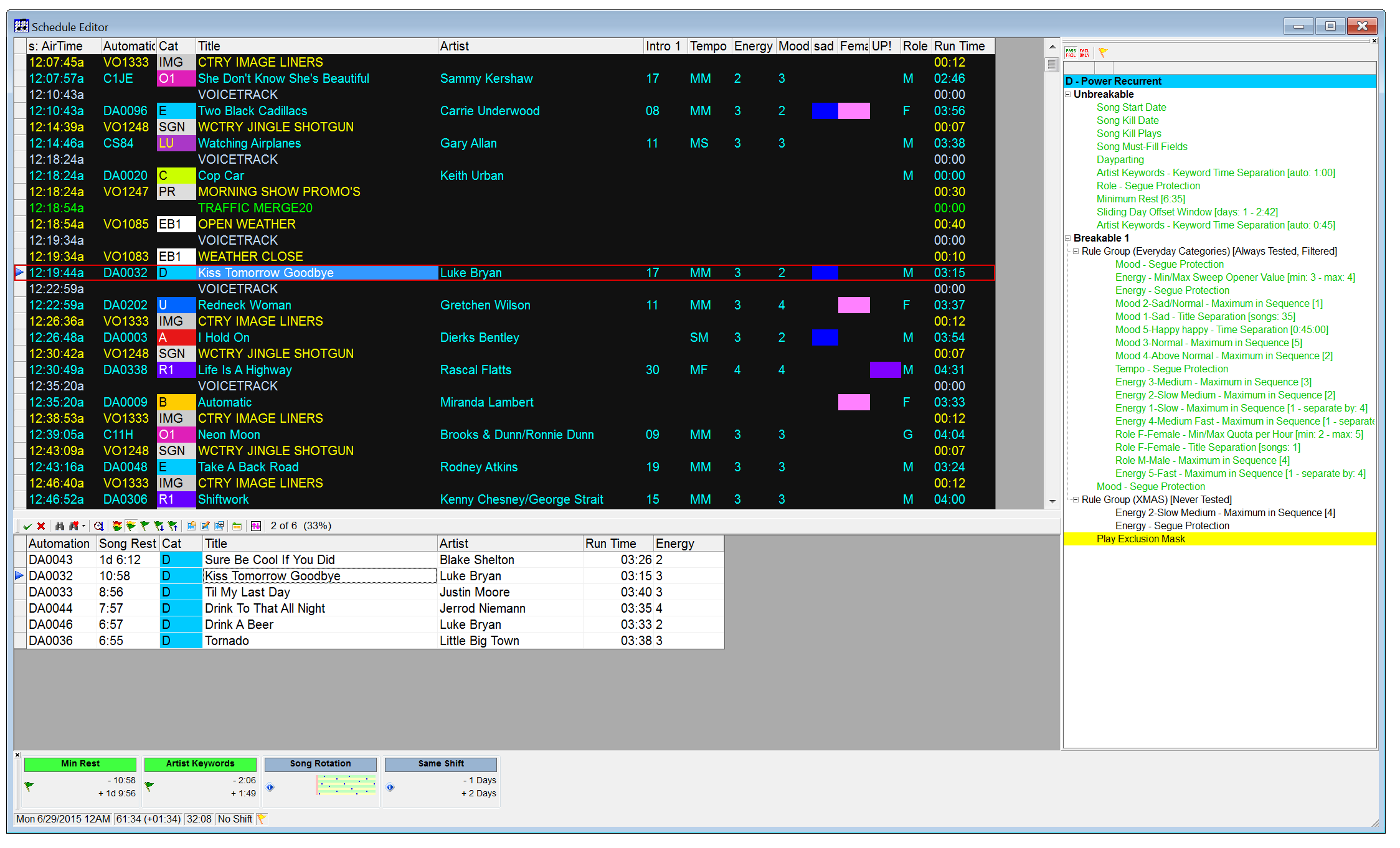 The Information You Need
From rule violations to history to snapshots of the song, MusicMaster provides you with all the information you need while you're editing your log.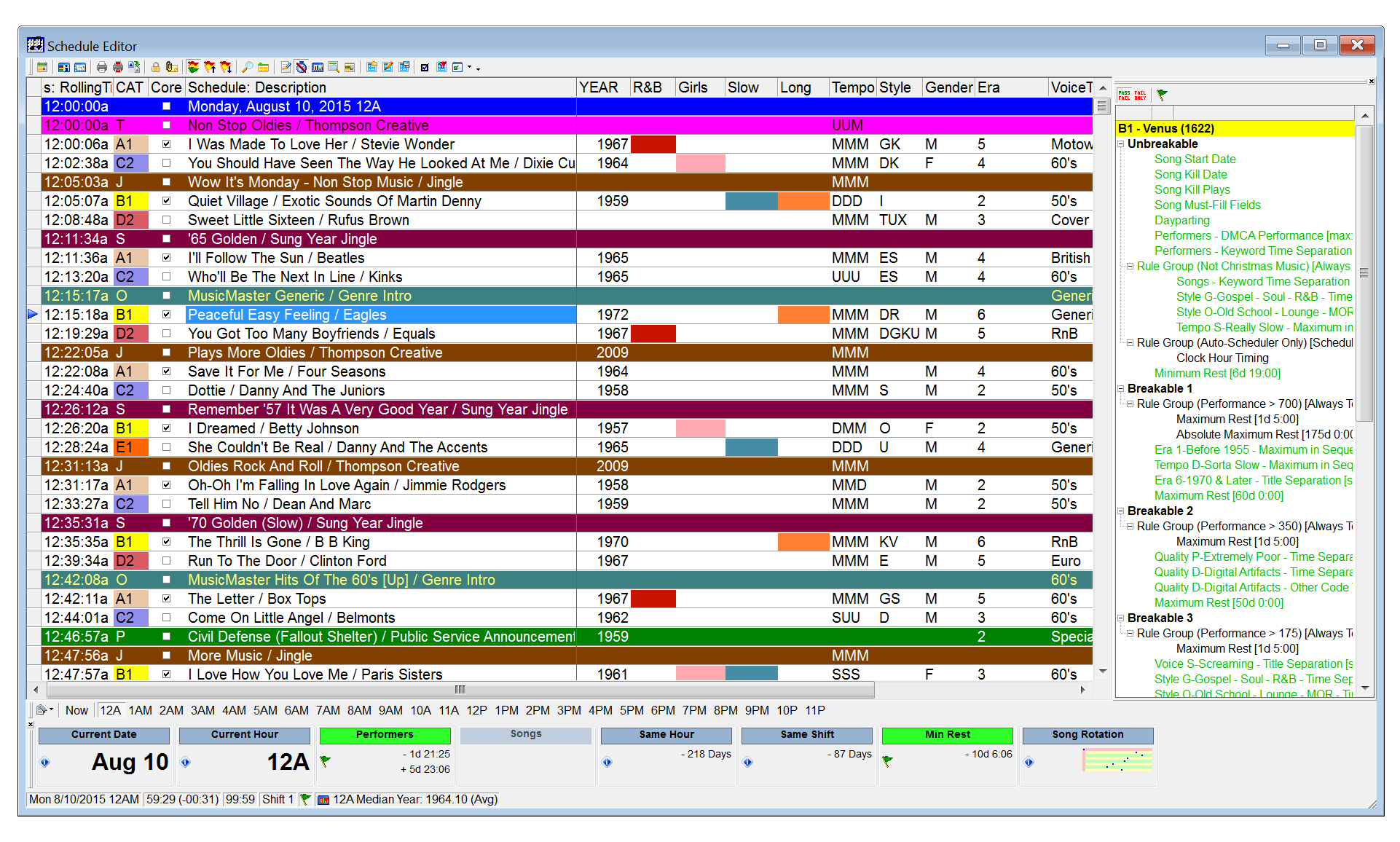 At a Glance
Use highlights and color to make patterns stand out, or get a birds eye view of your histories and separations in the Results Bar.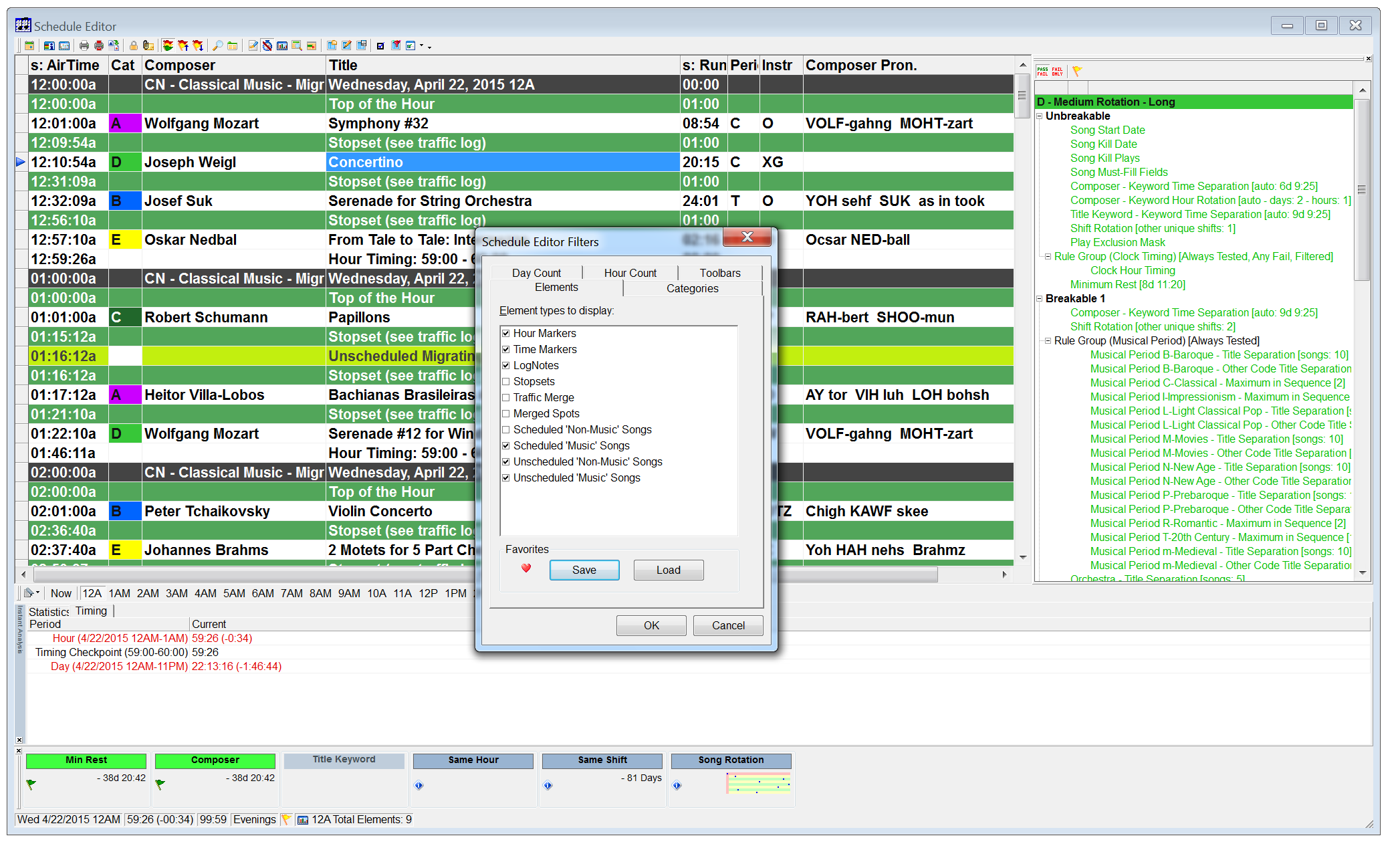 Work Faster and Smarter
Customize your screen layout so your most commonly used editing functions are just a click or two away. You can also save different layouts for every user.
Next Page: Schedule Editing Tools
-
Schedule Editor: Tools
We know you've got a lot to do. Editing logs should be a choice, not a chore.
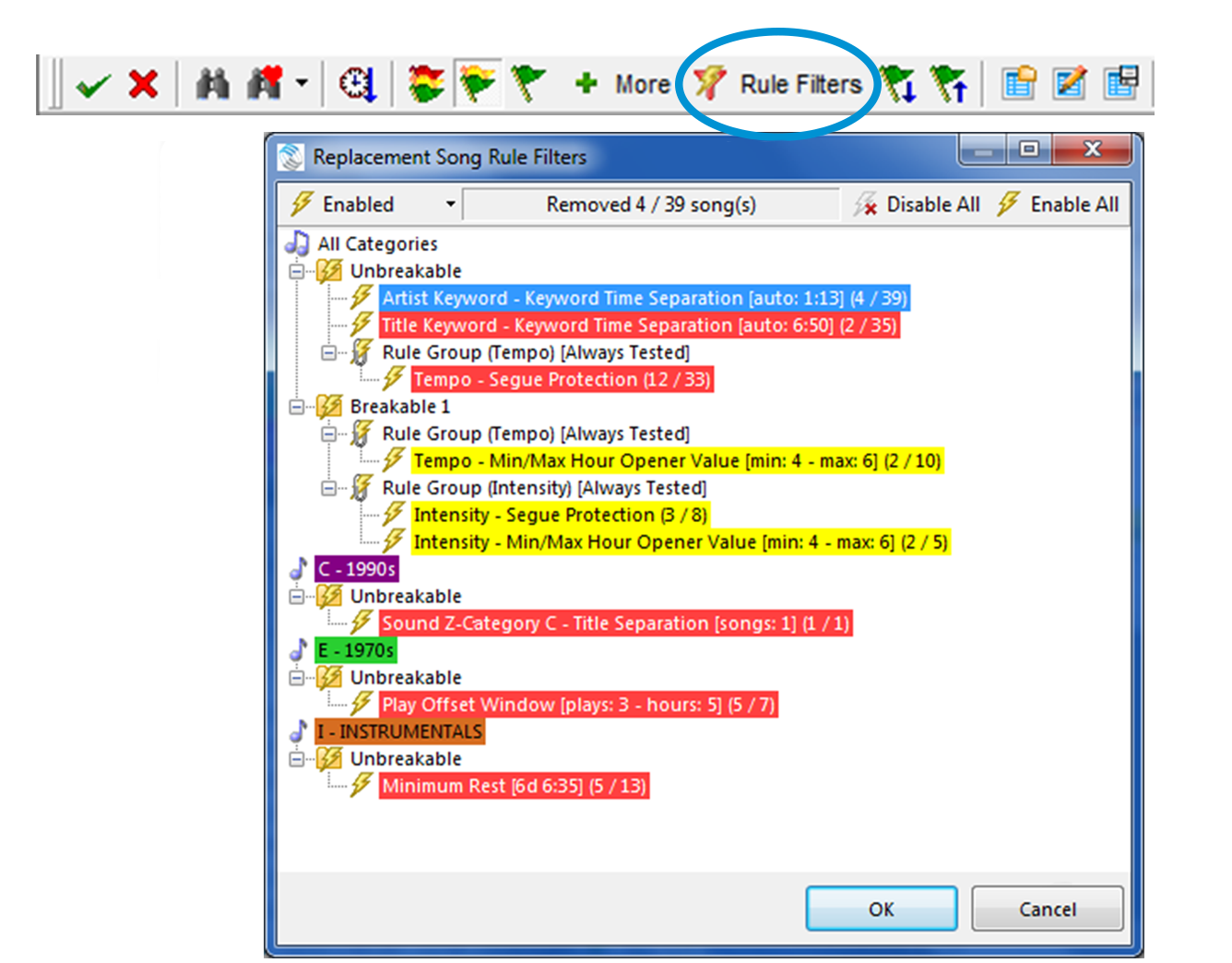 New Song Replacement Tool
Can’t find the perfect song? MusicMaster’s updated Song Replacement dialog now has two features to help you fine tune your rules and expand the list of songs to pick from. Rule Failure Analysis show you how many songs a particular rule has eliminated from consideration, thus giving you an idea of the impact that rule has, such as whether it may be too strict. With Rule Filters, you can make adjustments on the fly by temporarily relaxing or disabling rules for that position, giving you even more replacement songs to choose from.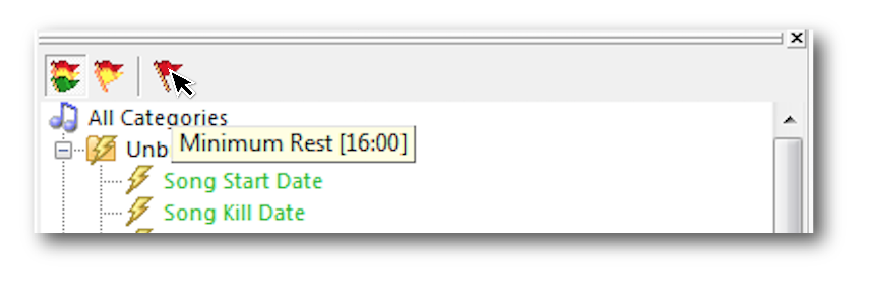 Highest Priority Test Failure
Now, in one quick glance, you can see the highest priority test failure for any song while reviewing your log. When the Test Results Panel is in Show All Rules mode, hover your mouse over the new single-flag icon and see exactly what’s going on. This flag might be red or yellow depending upon the failure. This is especially useful when you’re using the full power of MusicMaster’s exclusive Rule Tree with a large combination of fixed rules, Scalable Rules, and Dayparted or Filtered Rule Groups, where you'd have to scroll through the panel looking for that failure.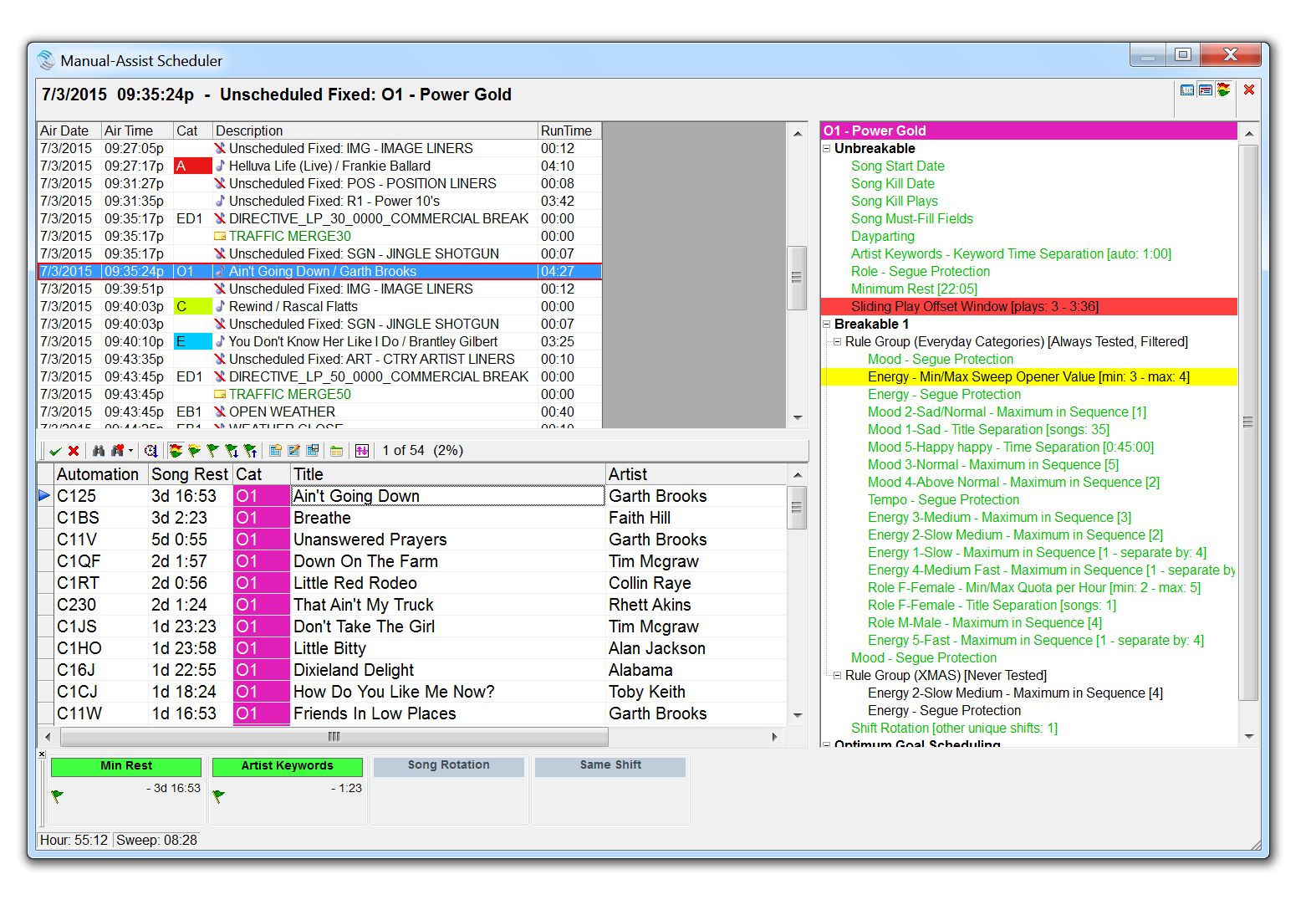 Manual Assist Editing
With Manual-Assist Scheduling, you can interact with MusicMaster as it schedules, filling those tough unscheduled positions as they come up. You'll end up with a finished log just the way you like it.
Next Page: Schedule Editing Tools
-
Schedule Editor: Tools
We know you've got a lot to do. Editing logs should be a choice, not a chore.
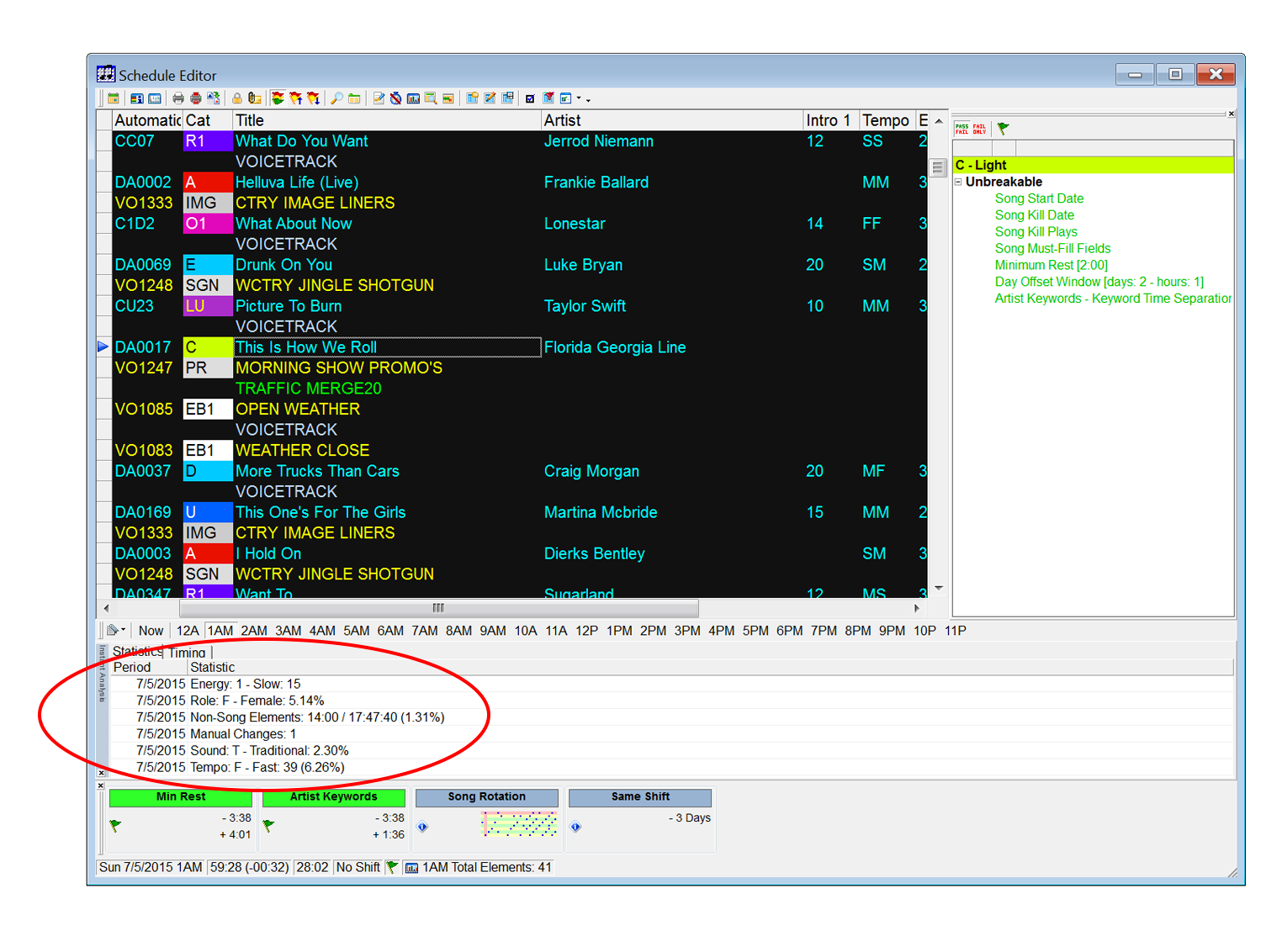 Instant Analysis
Keep track of what coding is used in any timeframe so you can monitor overall balance and see how any replacement songs you are considering will affect the mix. Hear Your Results
Advanced audio features allow you to listen to the log or just your segues, helping you do what you do best when you add your creative touches.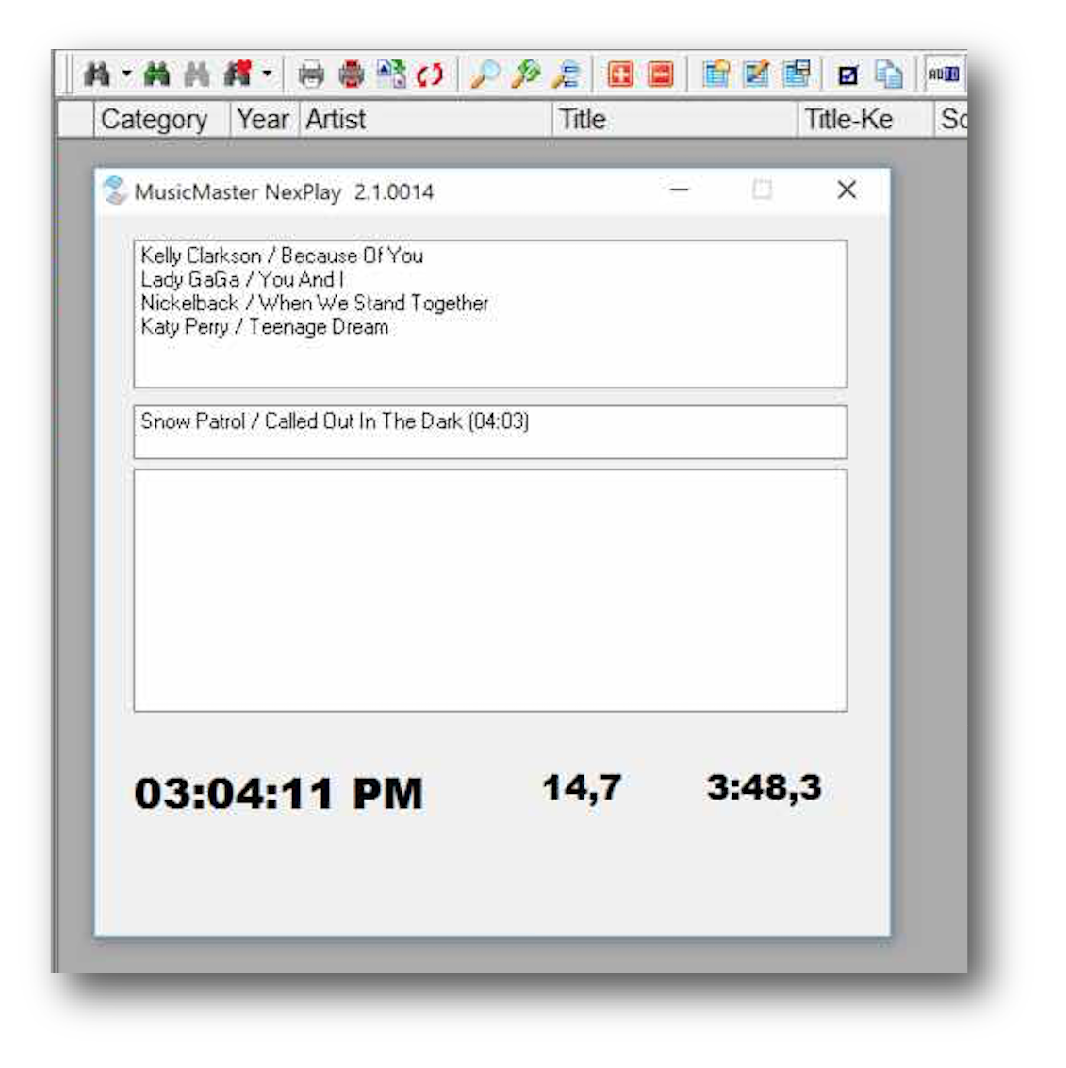 NexPlay: Instant Stream
With NexPlay, a just-in-time scheduling option, you can set up a music stream instantly. Rather than scheduling a full log in advance, MusicMaster will automatically pick the next best song to play based on your rules, clocks and Optimum Goals™. All you need is music in your categories, a clock and some rules and you can instantly start playing the perfect mix.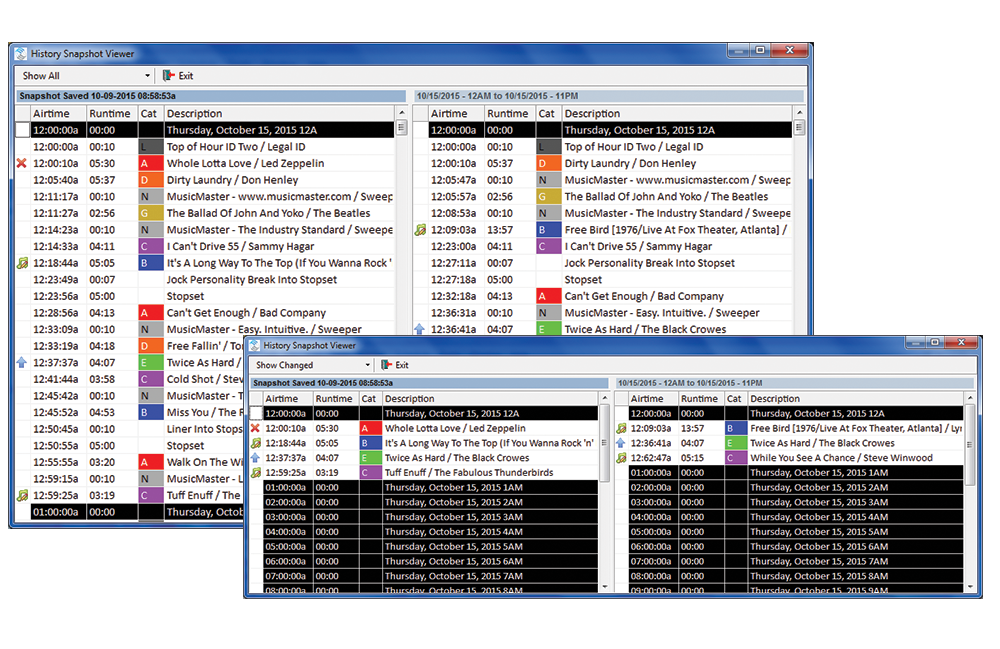 History Snapshot
This feature allows you to compare your log at any point in time with the current version of the log. You can create as many Snapshots of a log as you'd like. The display allows you to see the entire log, just the elements that have changed or just the elements that have not changed. With an option to make the Snapshot after the Automatic Scheduler is run, you'll easily be able to compare what changes were made in the editing process, or you could make a Snapshot of the finished log and compare it to changes made through reconciliation.
Next Page: History Reports
-
History Reports
Whether you're filing mandated reports, sending updates to your boss, or just double-checking your own programming results, all the spin information you need is just a few clicks away.
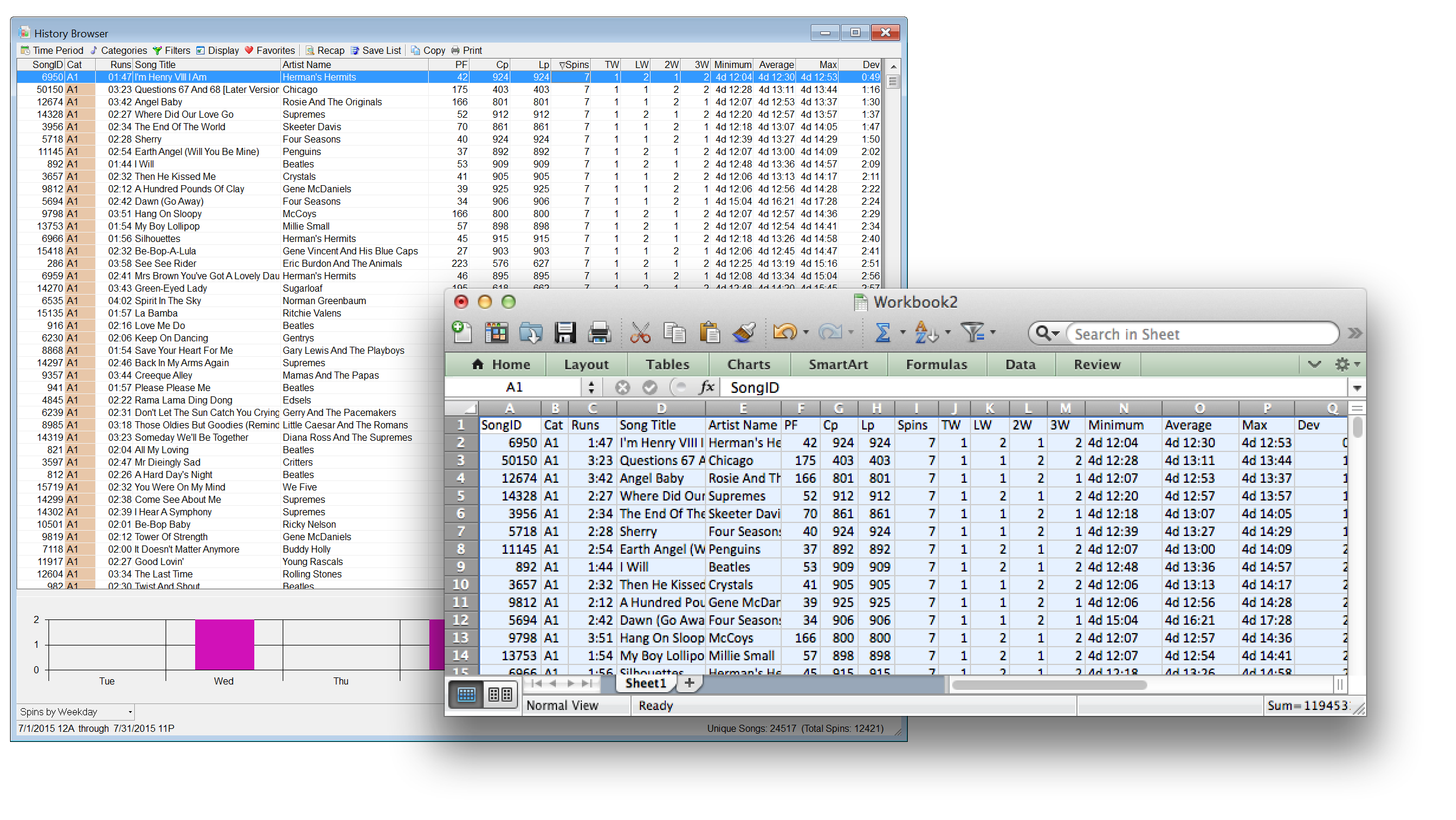 History Reports
Study your station's past performance in any number of ways. Save your favorites, print reports, or You can even copy your report to an Excel spreadsheet to easily share with others! History Analysis
Examine trends for artists, songs, or attributes over any time period. Our system keeps track of history all the way back to when you first started using it - and even before if your data was converted from an older system!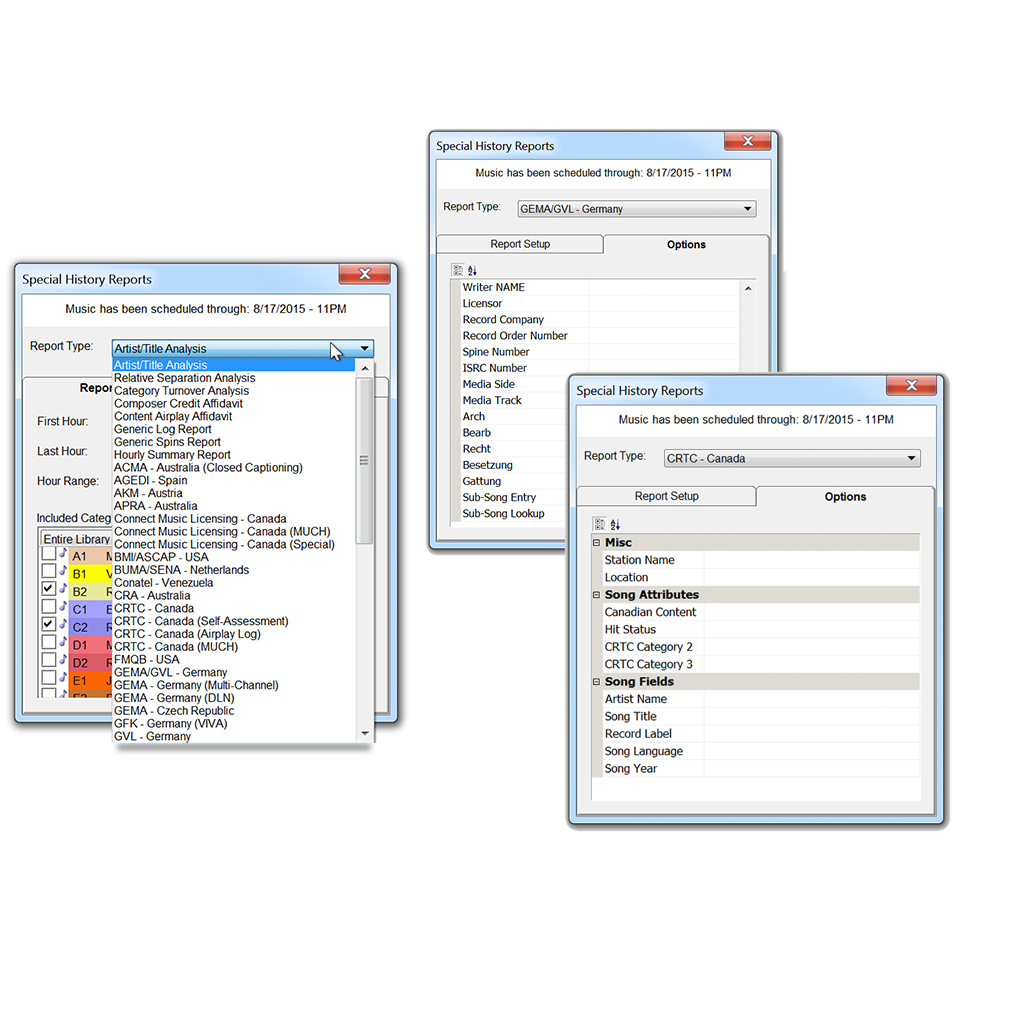 Special History Reports
We've built required reports for governmental agencies right into MusicMaster. All you have to do is fill in some options (which are saved) and run the report. You'll wish all your reports were this easy!
Want More? Watch Walkthroughs